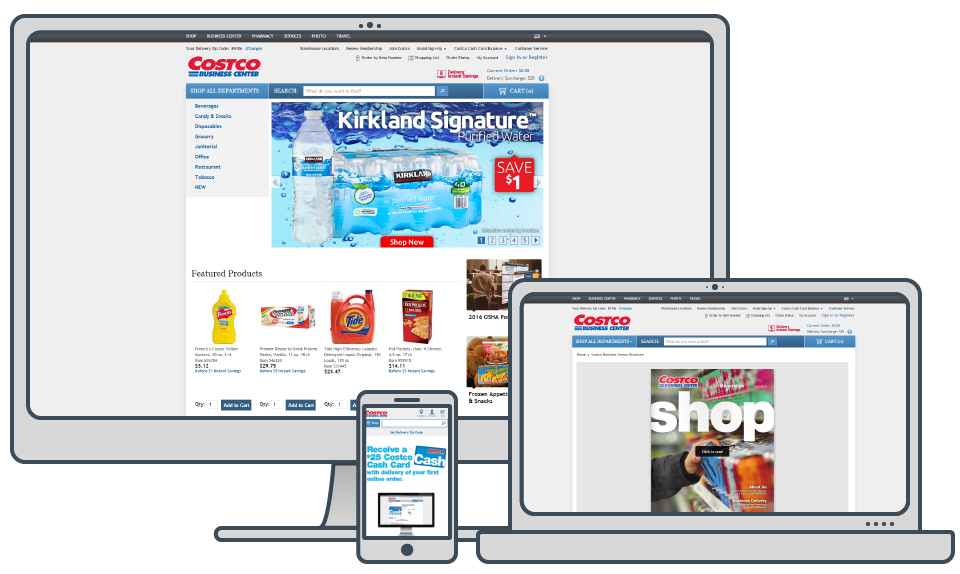
Transforming the Costco Business Center Website
During the interview for my position in the Costco Business Center marketing team, I was already beginning to think about how I could improve CostcoBusinessDelivery.com. It was clear that the team needed help from a design and from a web coding standpoint. Costco Business Center had recently undergone a redesign for all of their print marketing and the Marketing Director, Heidi Fischer, wanted to carry that design aesthetic to their website and email marketing.
Step 1: Polishing
The first thing I needed to do was get as comfortable with their Content Management System (CMS) Catalog Manager. An antiquated CMS that was in large part locked down by Costco’s IT/IS department. As I learned the CMS I explored and experimented with each of the areas we did have access to and found a number of areas that I could take advantage of in order to start giving the site a facelift.
I didn’t have the freedom to start from scratch so in order to redesign the page I had to stick to the same overall structure and focus on the sections of the page that I had access to and work around the limits of the CMS.
I was able to identify a few key areas that by simply changing the way the graphics were designed I was able to give the site a much cleaner and more modern look.
First I redesigned the smaller right column graphics and created templates that were cleaner and more consistent. Before I started, the graphics were inconsistent in font, background and positioning of elements. Not only did this improve the look of the homepage it made the production of graphics more efficient.
Then I redesigned the category tiles displayed below the main carousel graphics. When setting the elements up in the CMS it asks you for the image and the text that should display below the image. Before the graphic was a grey box with a darker grey border and a product image centered in the graphic. I removed the box and border and replaced it with a grey bar with a small triangle pointing to the text. I also discovered that in the text field of the CMS I was able to use inline CSS to style the text.
Last but most important, was getting rid of the flash based carousel. Flash is not widely supported and the CMS didn’t allow any customization of its look at feel. Working with Chris Bunger a talented javascript writer we were able to turn off the Flash carousel and inject a modern jQuery image slider that not only looked more up to date but had a much better browser and mobile support. The jQuery carousel also allowed for more advertising positions which meant more potential marketing income.
Home Page - Before Me

Polished in Old Platform

Step 2: Re-Platforming
As I was learning the website platform that was being used at the time, Catalog Manager, it wasn’t long before the re-platforming effort began. To start we knew that we would be starting with the code base that was developed years prior for Costco.com. Over the period of a year, our Marketing department and the Costco development teams met frequently to break down the site into each of its functions and recorded each functions requirements.
As the requirement gathering came to a close the development phase began to ramp up. Due to limitations of the platform and personnel resources the scope of the project was revised to accommodate an aggressive timeline for replatforming. We had to reprioritize our requirements in order to meet launch timelines. Despite having a code base to start from, Costco Business Center required a lot of customization to meet the unique needs of the business.
CostcoBusinessDelivery.com unlike Costco.com and most e-commerce websites doesn’t ship through traditional mail services. Costcobusinessdelivery.com delivers direct from its own brick and mortar warehouses to businesses within each warehouse set delivery area. The largest hurdle to work past was managing ten different warehouse inventories on one website. The old platform was really ten different websites, one for each location. Where each edit to an item or code needed to be made ten times the new platform had one master catalog that displayed content based on the user's entered ZIP code. Working with the development team and the UX/UI team we came up with a solution for getting the user’s ZIP code and displaying content to the appropriate audience.
Home Page

Product Page

Landing Page

Digital Publishing

Step 3: Mobile Site
Still fresh off of the re-platforming to a new website we began the process of launching a mobile version of our site. I again became the advocate for the business working with Costco’s IT/IS department to make sure we got what we wanted and needed. The majority of the design was brought over from Costco.com’s existing mobile site. Using that as a base we had to add in the functionality specific to the Costco Business Delivery website.
The largest hurdle from my perspective was making sure all of the feature pages, including the customer service page, was mobile friendly. Many of the pages were brought over from the old platform, where mobile wasn’t a priority. In less than a month, we recreated all of our feature pages and updated any coded content to be responsive. The WebSphere is setup to have a desktop version of a page and a mobile version of a page but by using responsive design each of the pages only needs to be created once and the size of the screen determines the how the content will display.